EL-010 Endless Sequencer
An endless sequencer for Live.
A Max for Live sequencer that turns a handful of notes into a looping pattern you can transpose, reverse and reshape while it plays.
Max for Live device for Ableton Live
Highlights
- Hold middle C to loop the notes you've played
- Transpose the pattern live from any other key
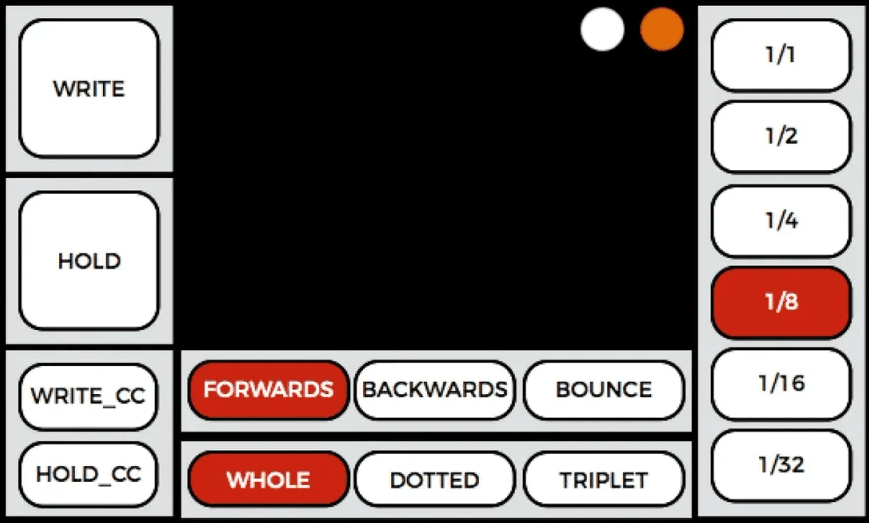
- Play forwards, backwards or bouncing
- Whole, dotted and triplet timing from 1/1 to 1/32
- Chords of up to eight notes
- Map Write and Hold to MIDI, such as a sustain pedal
Specifications
- Format
- Max for Live MIDI device
- Requires
- Ableton Live with Max for Live
- Version
- 1.0
About EL-010 Endless Sequencer
The EL-010 takes its cue from two classic sequencers: the one on the Roland SH-101 and the "endless" mode on Teenage Engineering's OP-1. Play in a few notes or chords, then hold middle C and they loop back as a sequence, locked to Live's tempo.
While it plays, every other key on your keyboard becomes a transpose control. Hold E4 and the pattern moves up four semitones; hold A3 and it drops by three. It's a simple idea that turns a short phrase into something you can perform with.
Getting started
Start with a four-step sequence and play with transposition before moving on to longer patterns. Keeping track of the root note while you transpose takes some practice, but that's where the fun is.